How to Make a Bby Wow AI Video From One Photo
Learn which photo to upload, how Original and Cowboy work, what a real AI test looks like, and how to download a Bby Wow dance clip with sound.
Last updated: 2026-10-22
Make a Bby Wow AI video by signing in, uploading one clear single-person photo, choosing Original or Cowboy, and starting a generation task with an available credit balance. New-task MP4 downloads include a fixed BbY WOW soundtrack, added after the picture is generated without re-encoding the video.
Turn one photo into a 9-second Bby Wow dance clip. Choose Original or Cowboy; new tasks request 720p, 9:16, with a fixed BbY WOW soundtrack.
- Input
- 1 photo, 1 person
- Video length
- 9 seconds
- New-task settings
- 720p requested · 9:16
- Download
- MP4 with BbY WOW audio
- Looks
- Original or Cowboy
- Credits per attempt
- 100 credits
Preview launch: browse examples and sign in. New credit purchases are temporarily unavailable.
Open the generatorWhat is the Bby Wow / Dime Dime Baby effect?
It is a party-video sequence built around a dance-in, a quick finger-bite gesture, a deadpan stare, a turn and a dance-off. Bby Wow AI uses your photo and a built-in motion reference to generate that sequence. You do not need to write a prompt or upload a reference video yourself.
The tool is independent. It is not an official product of the original artist, TikTok, Instagram or YouTube.
What photo should I upload?
Use one front-facing person with the face and outfit clearly visible. Head-to-knees or full-body framing gives the model more of the body to animate.
- Upload a JPG, PNG or WebP, up to 10 MB.
- Choose even front lighting and a sharp, unobstructed face.
- Avoid group shots, dark photos, heavy filters and cropped-off limbs.
- Use your own photo or a consenting adult's photo. Do not impersonate someone or upload a stranger's image without permission.
The sample below is an actual input used for an earlier AI test, not a promise that every photo will produce the same quality.
A real input photo and AI result
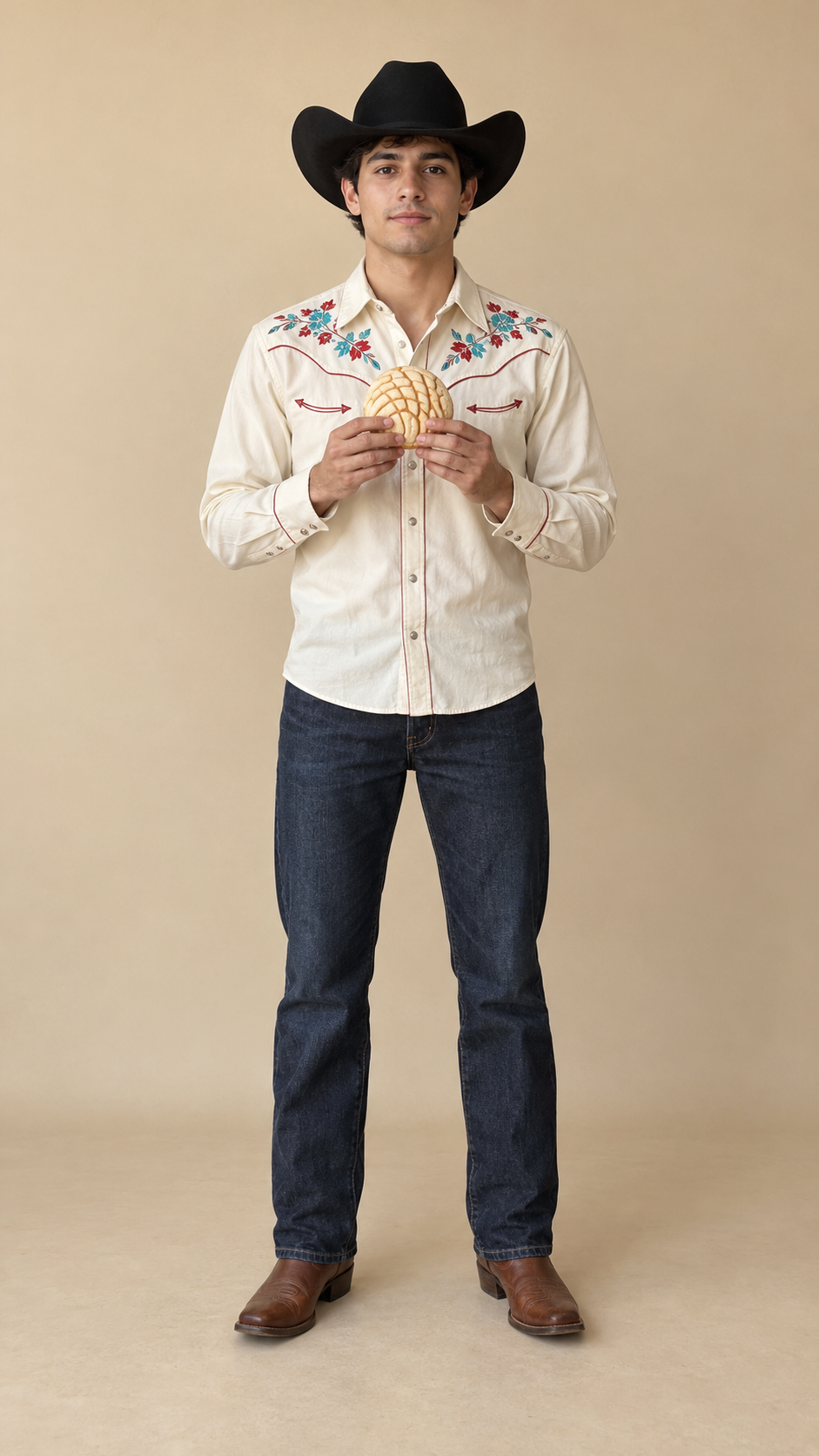
This is a published 480p test made with Seedance 2.0 Fast, with the fixed soundtrack added afterward. It shows the sort of motion and identity variation to inspect before judging a result. New tasks request 720p, but this example is not a 720p quality test. The separate creator videos in the homepage's Trend inspiration gallery are not generated results from this site.
How do I generate my clip?
Upload your photo after signing in
Open the Bby Wow AI generator, sign in and choose your photo. Check the preview before continuing. An account saves the task and associates it with your credit balance; there is no promised free render.
Choose Original or Cowboy
Original aims to retain the face and outfit in your photo. Cowboy uses a western-inspired look. Both use the same five-beat motion reference. Neither is a frame-for-frame edit of a TikTok clip, and generated faces, hands and movement can vary.
Generate, review and download
Start a task only when your account has enough usable credits. Keep the task record so you can return to its status and result. Completion time depends on the provider and queue; this guide does not promise a fixed turnaround.
When it finishes, review the face, hands, movement and framing before downloading. A technically completed result and a confirmed technical failure are different cases. If a task fails, keep its record and contact support; confirmed technical failures are eligible for credit return under the site's process.
Is it free, and how much does it cost?
No free render is promised. The listed packs are one-time credit purchases, not subscriptions. New credit purchases are temporarily unavailable in this preview release; viewing this guide does not open checkout or grant credits.
- Single: $8.99100 credits720p HD generation attempts: 1
- Creator: $24.99300 credits720p HD generation attempts: 3
- Studio: $69.991000 credits720p HD generation attempts: 10
Preview launch: browse examples and sign in. New credit purchases are temporarily unavailable.
Check the pricing page for the current catalog and purchase availability. Do not treat a displayed price as confirmation that live checkout is open.
Does the download include the original song?
Yes. New tasks include a fixed BbY WOW soundtrack in the downloadable MP4. The picture is generated first, then the same audio recording is added without re-encoding the picture. No extra generation credits are charged for the soundtrack. Tasks created before this change may still be silent.
Press play to preview the sound. If you choose a different sound in TikTok, Reels or Shorts, mute the video's existing audio first to avoid two songs playing together. The destination platform's music rules still apply. If delivery fails, retrying the download does not start another generation or deduct more credits.
Where can I see more or get help?
Read the homepage FAQ, inspect the motion reference and AI example, or contact hello@bbywow.co with your task details. Never send a password or API key in a support message.