Dime Dime Baby AI is a name used for photo-to-dance tools and edits. At Bby Wow AI, it means using one photo to generate a party entrance, a quick finger-bite gesture, a deadpan stare, a turn and a dance-off. The photo supplies the person's appearance; a built-in reference guides the movement.
Turn one photo into a 9-second Bby Wow dance clip. Choose Original or Cowboy; new tasks request 720p, 9:16, with a fixed BbY WOW soundtrack.
- Input
- 1 photo, 1 person
- Video length
- 9 seconds
- New-task settings
- 720p requested · 9:16
- Download
- MP4 with BbY WOW audio
- Looks
- Original or Cowboy
- Credits per attempt
- 100 credits
Preview launch: browse examples and sign in. New credit purchases are temporarily unavailable.
Open the generatorDime Dime Baby, dimedimebaby or BbY WOW?
You may encounter the spaced name Dime Dime Baby, the joined spelling dimedimebaby, or BbY WOW while looking for a dance video. These searches can lead to different things: a song, a performance, an editing template or an AI generator. A matching name alone does not tell you which one a page provides.
For the music, BbY WOW on Apple Music identifies the artists as KAROL G, Judeline and rusowsky. For a personalised AI clip, use the Bby Wow AI generator. This site is an independent tool, with no artist or platform endorsement.
Which effect does this tool make?
This tool makes the single-person party sequence described above. It is not a general dance editor: you do not upload your own choreography or ask it to perform a different routine. You also do not need a prompt or a reference video of your own.
Choose by the result you want:
- Original: aims to retain the face and outfit in your uploaded photo while generating the party sequence.
- Cowboy: uses the same movement reference with a western-inspired look. Choose it when a change of styling is part of the joke.
Both modes generate new pictures. Facial likeness, hands, clothing and movement can vary; neither guarantees an exact copy of a performance or a perfect identity match.
Check the input and the result together
A useful example shows what the model started with as well as what came out. Compare the face, outfit, gesture and framing in this published test:
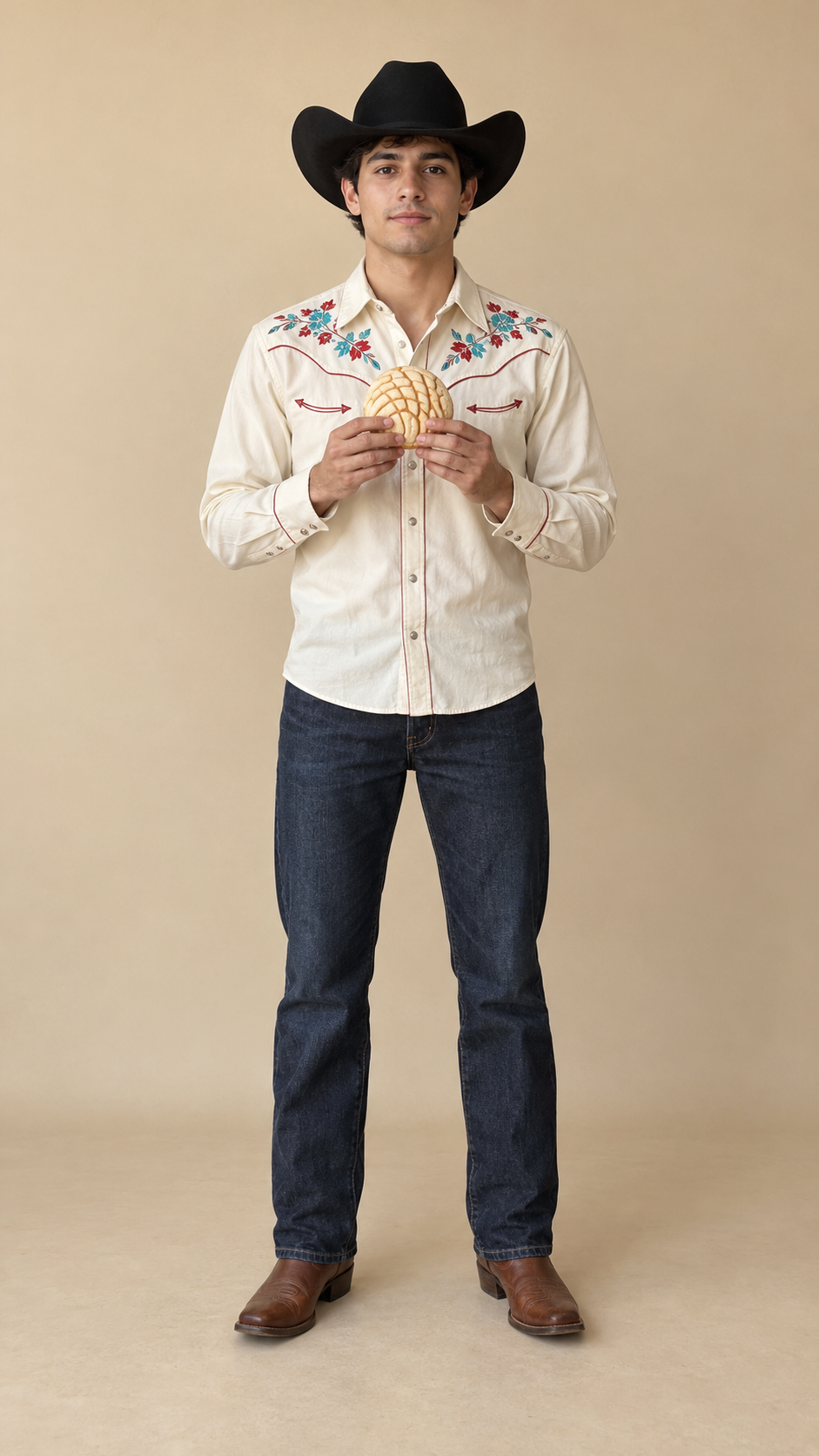
This is an earlier 480p test with sound added afterward. It helps illustrate the effect, but it is not evidence of 720p output quality. The current request settings are shown in the product facts above. Creator clips shown as trend inspiration on the homepage are separate from this AI result.
Is your photo suitable?
Use one front-facing adult with a clear face and visible outfit. Head-to-knees or full-body framing gives the model more information for movement. JPG, PNG and WebP are accepted, up to 10 MB. Avoid group shots, sunglasses, dark images and heavy filters.
Use your own photo or a consenting adult's photo, with the necessary image rights. A picture chosen for a close-up portrait may need replacing if most of the body is outside the frame. See the full creation guide for the upload and generation steps.
Cost and availability
The listed packs are one-time credit purchases. Review the current catalog and purchase status before deciding to generate; reading this page or signing in does not promise a free render.
- Single: $8.99100 credits720p HD generation attempts: 1
- Creator: $24.99300 credits720p HD generation attempts: 3
- Studio: $69.991000 credits720p HD generation attempts: 10
Preview launch: browse examples and sign in. New credit purchases are temporarily unavailable.
The pricing page carries the current purchase information. Start from the homepage to inspect the available modes and examples.
Questions about the names and effect
Is dimedimebaby a different mode here?
No. It is a joined spelling you may search for. This site's two modes are Original and Cowboy.
Does Original mean I download the original creator's video?
No. Original is the styling option that aims to retain your photo's appearance. Your task produces an AI video.
Is this a live camera filter?
No. You submit a still photo and receive a generated video after the task completes.
Does a similar name mean another tool makes the same clip?
No. Compare its demonstrated movement, input requirements, output and pricing. Names alone do not establish equivalent results.
For help choosing a photo or understanding a task, contact hello@bbywow.co.